
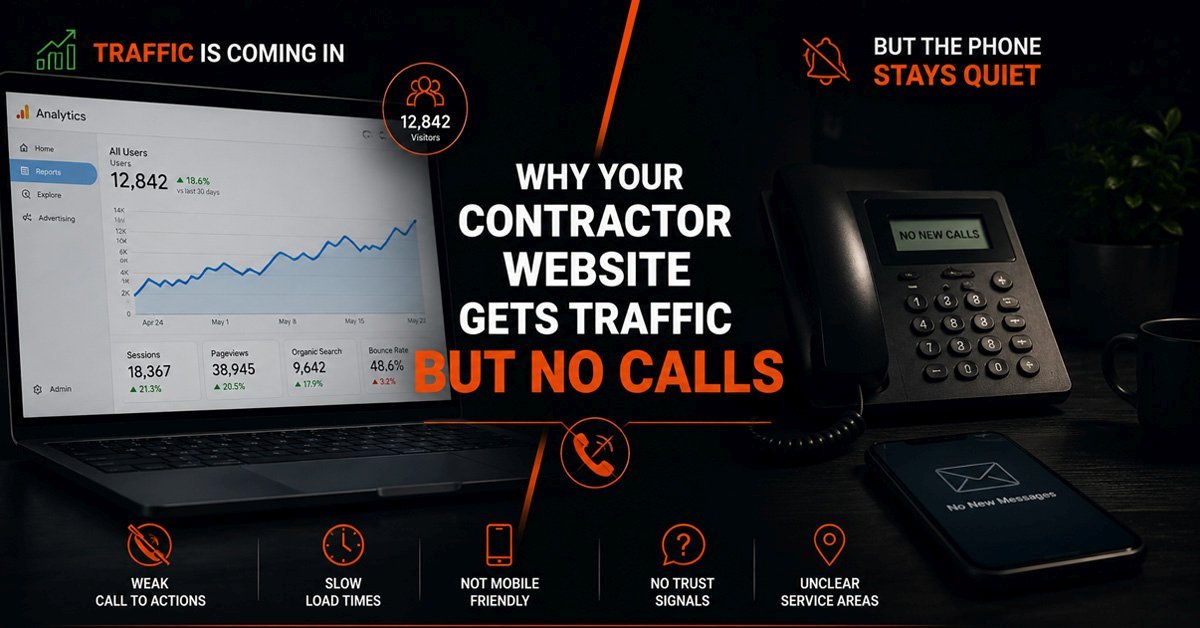
A contractor website that receives traffic but generates no calls has a conversion problem, not a visibility problem. The homeowners are finding the site. They are not finding a reason to reach out. Understanding the difference between those two problems is the starting point for fixing the right thing rather than spending money on more traffic to a site that was never going to convert it.
When we audit a contractor's existing website before a rebuild, the traffic-without-calls pattern points to a small set of specific problems almost every time. They are not random. They are the same issues appearing in different combinations across roofing, HVAC, plumbing, and electrical sites. And they are all fixable, sometimes without a full rebuild, once you know specifically which one is costing you calls.
This post walks through each cause with its own diagnostic test. Work through them in order. Most contractors find that two or three of these apply to their current site, and that fixing those specific problems changes the call volume without touching anything else.
The Right Diagnosis Before Spending Anything
A contractor who is getting traffic but no calls has two choices: spend more on advertising to send more traffic to a site that is not converting, or fix the conversion problem first and let the existing traffic work harder. The first option costs more each month. The second option compounds over time because every improvement to conversion rate benefits every visitor the site will ever receive.
The diagnostic process starts with one question: are homeowners leaving quickly after arriving, or are they spending time on the site but still not calling? These are different problems with different causes.
If visitors are leaving immediately, the problem is almost always a first impression issue: the site loads slowly, looks untrustworthy, or fails to communicate quickly what the contractor does and where they serve. The homeowner made a judgment in the first few seconds and moved on.
If visitors are spending time on the site but not calling, the problem is a conversion path issue: the homeowner was interested enough to read but did not find a clear, low-friction way to take the next step. Or they read enough to have doubts, and nothing on the site addressed those doubts before they left.
Both patterns are diagnosable. Here are the specific causes of each.
The 7 Reasons Your Contractor Website Gets Traffic But No Calls
A homeowner who has decided to call a contractor should not have to search for the phone number. If it requires scrolling, navigating to a contact page, or reading through content to find it, a meaningful share of ready-to-call visitors will leave without calling simply because the path was not obvious enough.
On mobile, the phone number should be visible in the header at all times, ideally as a tappable link that opens the dialer directly. On desktop, it should be in the top right of every page. A phone number buried in a footer, visible only on a contact page, or displayed as an image rather than a tappable text link is a conversion problem hiding in plain sight. Most contractors who fix only this one issue see an immediate improvement in call volume from their existing traffic.
Not all traffic is created equal. A contractor website that ranks for informational queries like "how to fix a leaky roof" or "what causes HVAC problems" attracts homeowners who are researching a problem, not hiring someone to fix it. That traffic will never generate calls at the rate that commercial-intent traffic does, because the visitor's intent at that moment is to learn, not to buy.
Commercial-intent traffic comes from searches like "roof replacement [city]," "emergency plumber near me," or "HVAC installation quote." These are searches made by homeowners who have moved past research and are ready to hire. If your site's traffic is coming primarily from informational searches, the conversion problem is not the site itself. It is a mismatch between who is visiting and what they are ready to do.
Check Google Search Console. Look at the queries your site is receiving impressions and clicks for. If the list is dominated by how-to or educational searches rather than service and location-based searches, the traffic problem and the conversion problem are the same problem: the site is attracting the wrong visitors.
A contractor website that takes more than three seconds to load on a mobile connection is losing a significant share of its visitors before they see anything at all. Those lost visitors do not show up in your analytics as bounces. They show up as sessions that never started, which means the traffic number in your analytics understates how many people actually tried to visit and left during the load.
The most common causes of slow contractor websites are unoptimized images uploaded at full resolution directly from a phone or camera, a theme or page builder that loads unnecessary scripts on every page, and a hosting plan that was the cheapest available option at setup time and has never been revisited. Each of these is fixable without a full rebuild, but all of them together often make a rebuild the more efficient path than patching a slow site incrementally.
A contractor website that loads in under two seconds on a mobile connection retains a substantially higher share of the visitors it attracts compared to one that takes five or more seconds. That difference in retention directly translates to more homeowners reaching your content and your contact options.
A homeowner hiring a contractor is making a trust decision about who to let into their home. Reviews are the single most powerful trust signal available to a contractor website because they represent other homeowners who made the same decision and were satisfied with the result. When those reviews exist only on Google or Facebook but not on the contractor's own website, they reach only the homeowners who actively navigate to those platforms to check. They do not reach the homeowners who are on the website right now, at the exact moment they are deciding whether to call.
A live review feed that pulls current Google reviews and displays them on the homepage and service pages means that every visitor sees that social proof without leaving the site. The recency of reviews matters as much as their quality. A site showing reviews from three years ago raises the question of whether the business is still operating at the same level. A feed showing reviews from last month tells the homeowner the business is active and consistently satisfying customers right now.
If you have strong reviews on Google but none visible on your own website, you are doing the work of earning those reviews and then leaving them where only a fraction of your visitors will see them. Making them visible on your site is one of the highest-leverage improvements available for contractor websites with existing review volume.
A generic contact form tells the homeowner nothing about what will happen after they submit it. How long will it take to hear back? Will they get a quote or just another call asking for more information? What should they write in the message field? The uncertainty around these questions is enough friction to make a homeowner who would have submitted the form choose to call instead, and then not call because it is outside business hours.
A quote request form designed for the specific trade removes that friction. It tells the homeowner exactly what information to provide, sets a clear expectation for when they will hear back, and gives the contractor everything needed to respond with a real rate rather than a callback to gather basic details. A roofing company's form asks about roof type and the nature of the issue. A plumber's form asks whether it is an emergency and what type of service is needed. The specificity signals professionalism and makes the submission feel worth the effort.
The submission confirmation matters too. A homeowner who submits a form and receives no immediate confirmation does not know if it worked. Adding a clear confirmation message with a specific response time expectation, "We will be in touch within two business hours," removes the uncertainty that causes homeowners to give up and try a competitor instead.
In home services, describing the quality of your work is far less convincing than showing it. A homeowner deciding between two roofing contractors who cannot see finished projects from either one is choosing on price, name recognition, or gut feeling. A homeowner who can see fifty before and after photos of completed roofing jobs from one contractor and nothing from the other has a clear basis for a decision that does not come down to price.
The gallery needs to show real work, organized in a way that is easy to browse. A single page of unfiltered photos is better than nothing. A gallery organized by service type, material, or neighborhood is meaningfully better because it lets a homeowner find examples relevant to their specific situation. A homeowner considering a metal roof replacement wants to see metal roof replacements, not general roofing photos mixed together with gutters and siding work.
Each gallery item should connect directly to a quote request path. The moment a homeowner is impressed by a project is the moment they are most likely to take action. A gallery that impresses and then gives no obvious next step loses that moment to whatever the homeowner does next, which is often navigating away.
A homeowner who is almost ready to call often has one remaining doubt: is this contractor actually licensed and insured? For work involving their home, their largest asset, the answer to that question matters enough to stop the conversion if it cannot be found easily. If the license information is on an about page the homeowner never navigated to, or in a footer that requires scrolling to find, it might as well not exist for the visitor who is on a service page right now making their decision.
Licenses, insurance, manufacturer certifications, and any relevant bonding information belong on service pages, not only on an about page or in a footer. A homeowner reading about roof replacement should see the roofing license and insurance information on that same page. A homeowner reading about HVAC installation should see the manufacturer certifications for the brands installed. The credential should be at the moment of the question, not somewhere that requires a separate navigation action to reach.
Satisfaction guarantees and warranty information belong in the same location. A homeowner who reads that a contractor backs their work with a specific guarantee has one fewer reason to hesitate before calling.
Traffic vs Conversion: Understanding Which Problem You Actually Have
What Fixing These Problems Actually Looks Like
The seven issues above exist in different combinations for different contractor websites. Some are quick fixes that do not require a developer. Others are structural enough that fixing them properly means rebuilding the relevant section of the site rather than patching over it.
A phone number that is not tappable on mobile is a ten-minute fix. A site that loads in eight seconds because of unoptimized images and a heavy theme is a structural problem that requires real work to resolve properly. A generic contact form can be replaced with a trade-specific quote form without rebuilding the whole site. A site with no service area pages needs new pages built, which takes time but is straightforward.
The practical order of priority for a contractor website with traffic but no calls is: fix the phone number visibility first because it is immediate and costs nothing. Then address page speed. Then add or improve the quote request form. Then add reviews to service pages. Then build out service area pages if they are missing. The gallery and credentials improvements compound on top of those foundations.
When the Problem Is the Website Itself, Not Just Specific Elements
Sometimes the seven issues above are not isolated problems in an otherwise functional website. They are symptoms of a site that was built without the conversion goal in mind at all, where every element was designed for appearance rather than function, and where fixing individual issues produces diminishing returns because the underlying architecture is working against conversion.
A contractor website built on a general-purpose template with no consideration for how homeowners make hiring decisions will always underperform compared to one built around that specific goal. The phone number is hard to find because nobody thought about where a homeowner would look for it. The contact form is generic because the form was not designed around what a contractor actually needs from a lead. The service pages are thin because they were written to fill space rather than to answer the questions a homeowner has before calling.
When the issues compound across enough elements, a rebuild is more efficient than a series of patches. The decision point is whether fixing the specific issues above would produce a site that functions well, or whether fixing them would produce a slightly less broken version of a fundamentally compromised foundation. Our guide to why some home service websites generate more leads than others covers what a properly built contractor website looks like from the ground up, which is useful context for deciding whether a rebuild is the right call.
For contractors considering a rebuild, our home services website development service covers how we approach building contractor websites specifically around the conversion goal, and what makes the difference between a site that looks good and one that consistently turns visitors into enquiries.
Frequently Asked Questions
How do I know if my contractor website has a traffic problem or a conversion problem?
Check Google Analytics or your hosting dashboard for monthly visitor numbers. If you are receiving fewer than 100 visitors per month, the problem is almost certainly visibility rather than conversion: not enough people are finding the site to generate a meaningful call volume regardless of how well it converts. If you are receiving 300 or more visitors per month and still getting fewer than 5 to 10 calls per month, the problem is conversion. The site is finding visitors but not converting them. Between 100 and 300 visitors per month is a grey zone where both problems may be contributing. Start with the conversion diagnosis because the fixes are often faster and cheaper than visibility improvements, and a site that converts well gets more value from every visibility investment you make afterward.
Should I spend money on Google Ads to get more calls while fixing the website?
Only if the conversion problem is genuinely minor and quick to fix. Sending paid traffic to a site that is not converting is an efficient way to spend advertising budget without getting calls. The economics work against you: if the site converts 1 percent of visitors into calls, doubling the traffic doubles the spend and doubles the calls. If you fix the conversion problem to 4 percent first and then run ads, the same spend generates four times the calls. Fix the most urgent conversion issues, particularly phone number visibility and page speed, before starting a paid campaign. For contractors with a strong Google Business Profile generating some calls directly from the map pack, running ads to the website simultaneously while the site is being fixed is reasonable because the map pack calls provide revenue continuity. For contractors with no inbound calls at all, fix the site first.
How long does it take to see more calls after fixing these issues?
Fixes that affect the current visitor experience, such as phone number visibility, page speed, and contact form improvements, produce results as quickly as the next visitor who arrives after the change is made. There is no waiting period. The site is either easier to call from or it is not, and the change is immediate. Fixes that affect how the site appears in search results, such as adding service area pages or improving service page content, take longer because search engines need time to recrawl and re-rank the affected pages. This typically takes four to eight weeks for new pages to reach their ranking potential, sometimes longer in competitive markets. The practical approach is to implement the immediate conversion fixes first to get value from existing traffic, then work on the structural improvements that take longer to produce results. If you want a clear picture of exactly which issues are costing you calls on your specific site, our contractor website checklist gives you a structured way to evaluate every element.
Getting Traffic But Still Not Getting Calls?
We audit home service and contractor websites and show you exactly where potential customers are dropping off, before you spend anything on ads or a rebuild.