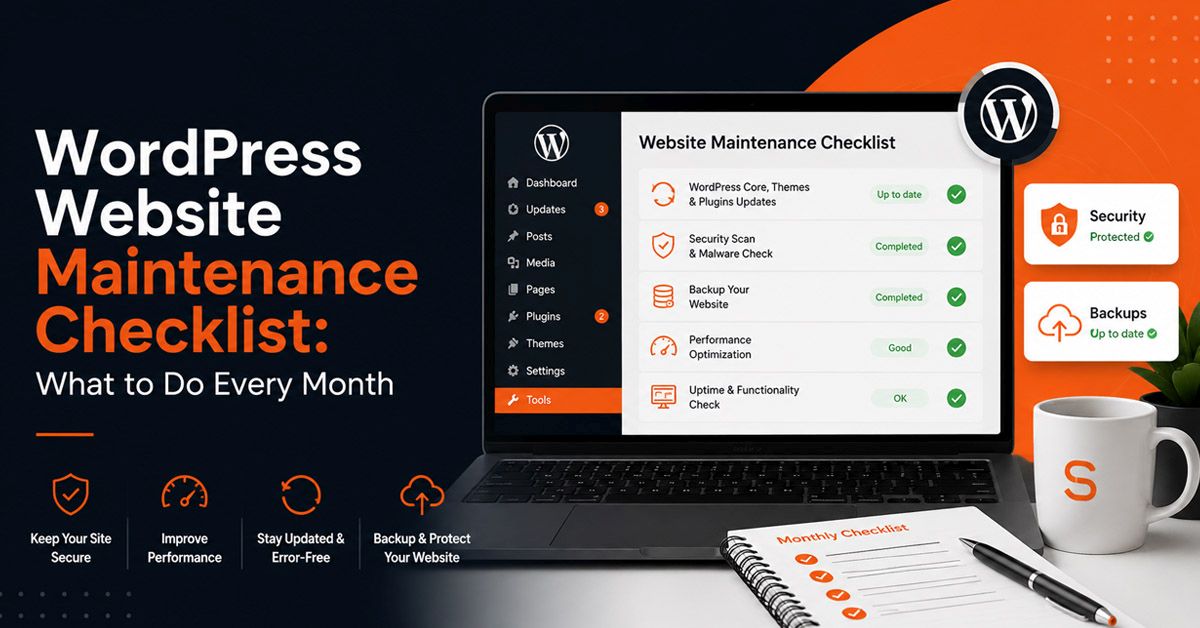
Most WordPress sites do not break dramatically. They degrade quietly. Plugins fall out of date, backups stop running without anyone noticing, performance slows by a few hundred milliseconds every month, and a small security gap that existed for six months eventually gets found. By the time something visible goes wrong, the underlying neglect has usually been building for a long time.
A consistent WordPress website maintenance checklist prevents that pattern. Not because each individual task is complicated, but because doing them regularly and in the right order means problems are caught small rather than discovered large. This checklist covers what actually needs to happen monthly, quarterly, and annually, and why each item matters in practice.
Before you start: If you are not sure what a WordPress maintenance plan actually covers or whether you need one, the guide on
what is a WordPress maintenance plan and do you need one covers that decision first. This checklist assumes you have decided to maintain the site properly and want to know exactly what that involves.
Monthly WordPress Maintenance Tasks
Monthly tasks form the core of keeping a WordPress site healthy. These are not optional extras. They are the baseline that determines whether the site stays functional, secure, and fast over time.
Verify backups are running and restorable Critical
Do not just check that a backup exists. Download a recent backup and confirm it is a complete, valid file. Backup plugins fail silently more often than most people expect. A corrupted backup discovered during a crisis is the same as no backup.
Update WordPress core Critical
Minor updates (security patches) should be applied as soon as they are released. Major version updates should be tested on a staging copy of the site first. Never update core directly on a live site without a recent backup confirmed.
Update all plugins Critical
Outdated plugins are the most common entry point for WordPress compromises. Update in batches rather than all at once, and check the site functions correctly after each significant update. WooCommerce updates in particular warrant full checkout testing before going live.
Update the active theme Important
Theme updates often include security patches and compatibility improvements. If you have made customisations directly to a theme rather than using a child theme, updates will overwrite those changes. This is one of the reasons child themes exist.
Run a malware scan Critical
Use a server-side scanner rather than a plugin-only approach. Plugins like Wordfence scan files they can access. A server-level scan catches things that have been placed outside the WordPress directory or that have disabled plugin execution. Monthly scans catch infections before they cause visible damage or get flagged by Google. For a deeper look at how WordPress sites actually get compromised, the post on
WordPress security in practice covers the most common attack vectors.
Check for broken links Important
Broken internal and external links affect both user experience and crawlability. Run a link checker tool across the site monthly. Pay particular attention to links in older content where external destinations may have moved or disappeared.
Review Google Search Console for errors Important
Check for crawl errors, coverage issues, and any manual actions. New 404 errors, pages blocked by robots.txt, and indexing drops are all worth catching early. This is also where you see if Google has flagged any security issues on the site. For a complete walkthrough of fixing technical SEO issues found in Search Console, see the guide on
WordPress technical SEO fixes.
Test site speed and Core Web Vitals Important
Run PageSpeed Insights on the homepage and at least one key landing page. Plugin additions and image uploads accumulate over time and quietly degrade performance. Catching a score drop monthly means addressing it before it affects rankings or conversions. For WooCommerce sites, database-level issues are often the real cause of slowdowns, covered in detail in the post on
why WooCommerce stores run slow.
Clear and optimise the database Routine
WordPress accumulates post revisions, spam comments, transients, and orphaned metadata. These do not cause immediate problems but they slow queries over time. A monthly database cleanup keeps query performance consistent. Plugins like WP-Optimize handle this cleanly.
Check disk and server resource usage Routine
Accumulated log files, old backups stored on the server, and growing media libraries consume disk space. Sites that approach disk limits start throwing errors that are confusing to diagnose. Monthly checks let you manage this intentionally rather than reactively.
Review and moderate comments and forms Routine
Spam that gets through filters, contact form submissions that went unread, and comment queues that have been sitting open all affect site quality and occasionally surface security issues. A monthly pass takes a few minutes and keeps things tidy.
Additional Monthly Tasks for WooCommerce Stores
Standard WordPress maintenance covers the foundation. WooCommerce stores have additional requirements that run alongside the tasks above. These apply to any site running WooCommerce regardless of store size.
Test the checkout flow end to end. Run a real test order through the entire checkout process including payment. Do not assume checkout is working because orders came in last week. Payment gateway plugin updates and server configuration changes can break checkout silently. Catch it before a customer does.
Check payment gateway plugin versions. Stripe, PayPal, and other gateway plugins update frequently. Outdated gateway plugins can fail during transactions or lose PCI compliance status. These updates are not optional and should be applied and tested on staging before going to the live store.
Review WooCommerce order database size. WooCommerce stores accumulate order data, customer sessions, and cart abandonment records in the database. Monthly cleanup of completed and old orders (using a plugin like WooCommerce Order Status Manager or direct database queries) keeps query performance consistent as the store grows.
Confirm product inventory accuracy. If your store manages stock, verify that stock levels are accurate and that any products showing as out of stock when they should not be are corrected. Stock sync issues with external systems are common and easy to miss.
Check shipping and tax calculations. Rate changes, new zones, and plugin updates can affect how shipping and tax are calculated at checkout. Verify that the amounts shown at checkout are correct for your most common shipping destinations.
Quarterly WordPress Maintenance Tasks
Quarterly tasks go deeper than the monthly routine. These are checks that do not need to happen every month but that drift into problems if left for more than a few months. Think of these as the layer underneath the surface maintenance.
Audit user accounts and permissions Critical
Remove accounts belonging to former staff, contractors, or developers who no longer work on the site. Check that no accounts have administrator access that do not specifically require it. Old credentials with high permissions are a common and avoidable security exposure.
Review and remove unused plugins and themes Critical
Deactivated plugins still exist in the file system and can still contain vulnerabilities. Unused themes that are not the active theme should be deleted. Every inactive plugin and unused theme that remains installed is a potential attack surface.
Test all forms and checkout flows end to end Critical
Submit every contact form and confirm the notification reaches the right inbox. For WooCommerce sites, run a complete test order through checkout including payment. Plugin updates and email configuration changes can silently break these flows. The cost of not catching this is measured in lost leads and orders. For WooCommerce stores handling significant order volume, the post on
what happens when WooCommerce stores reach scale covers the additional maintenance considerations that come with growth.
Review SSL certificate expiry Important
Most SSL certificates auto-renew, but auto-renewal fails more often than it should. A site that goes down because an SSL certificate expired is a completely avoidable situation. Check the expiry date quarterly and confirm auto-renewal is functioning.
Check uptime monitoring logs Important
If you have uptime monitoring in place, review the logs for the quarter. Short outages that happened outside business hours and recovered quickly may not have been noticed but should be understood. Recurring patterns often point to a specific cause worth investigating.
Review your backup restore process Important
Once a quarter, do a partial restore test on a staging environment. Not just confirm the backup file exists, but actually go through the steps of restoring it. Teams that have never restored a backup before an emergency tend to find problems with the process at exactly the wrong moment.
Optimise and check image sizes Routine
Images uploaded over the past quarter may not have been optimised before upload. Run a bulk image optimisation pass and check that oversized images are not sitting in the media library. Unoptimised images are consistently one of the largest contributors to slow page load times.
Review analytics for traffic and behaviour changes Routine
Look for significant changes in organic traffic, bounce rate, or conversion rate across the quarter. A traffic drop that happened six weeks ago and was not noticed is harder to diagnose than one caught early. Quarterly analytics reviews connect maintenance activity to business outcomes.
Annual WordPress Maintenance Tasks
Annual tasks are bigger picture reviews that do not fit into a monthly or quarterly rhythm but matter for the long-term health and relevance of the site.
Full security audit Critical
Go beyond routine scans. Review file permissions, check for any unknown admin accounts, audit what third-party scripts are loading on the site and why, review login security settings, and confirm that two-factor authentication is enabled for all administrator accounts. The threat landscape changes and the audit should reflect that.
Review and renew domain and hosting Critical
Check domain expiry dates and confirm auto-renewal is active on the correct payment method. Domains that expire because of an outdated credit card on file are entirely avoidable and genuinely painful. Review your hosting plan to confirm it still fits the site's current traffic and storage requirements.
Content review and refresh Important
Identify pages with outdated information, references to past years, or statistics that no longer reflect current reality. Stale content affects both credibility with visitors and relevance with search engines. An annual content audit is also a good time to identify gaps worth filling with new posts or pages.
Full performance audit Important
Go deeper than monthly PageSpeed checks. Use tools like GTmetrix or WebPageTest to audit render-blocking resources, third-party script load times, server response time, and caching effectiveness. What was a well-optimised site a year ago may have accumulated enough additions to warrant a proper performance review.
Review plugin stack for redundancy and alternatives Routine
Plugin ecosystems evolve. A plugin that was the best option two years ago may have been superseded, abandoned, or replaced by something that does the same job with less overhead. An annual review keeps the plugin stack lean and ensures each plugin still has an active developer behind it.
Review privacy policy and compliance Routine
Check that the privacy policy reflects how the site currently collects and uses data. If new forms, integrations, or analytics tools have been added during the year, the policy may need updating. For sites serving European or UK visitors, GDPR compliance deserves a proper annual review rather than a set-and-forget approach.
What Gets Skipped and Why That Is Expensive
The tasks that get skipped most often are the ones that do not have an immediately visible consequence. Nobody notices that the backup has not been verified in four months until the site goes down and the restore fails. Nobody notices that an old developer still has administrator access until it becomes a problem. Nobody notices that plugin updates have been deferred for three months until a known vulnerability in one of those plugins gets exploited.
Reactive: skipping maintenance
Site recovery after compromiseHigh cost
Emergency developer timePremium rates
Downtime impact on revenueUnpredictable
Data loss from failed backupPotentially unrecoverable
Google blacklisting and ranking lossMonths to recover
Proactive: consistent maintenance
Monthly routine tasksPredictable
Issues caught earlyLow fix cost
Site availabilityConsistently high
Backup restorationTested and reliable
Performance over timeIntentionally managed
The pattern we see repeatedly is that businesses run their WordPress site without a maintenance routine until something goes wrong. The recovery cost, both in developer time and in the business impact of downtime, typically exceeds what years of consistent maintenance would have cost. It is not a pleasant calculation to make after the fact.
Doing It Yourself vs Handing It Over
This checklist is entirely doable by someone who is comfortable in the WordPress dashboard. The monthly tasks take roughly two to three hours if you are methodical about them. The quarterly tasks add another couple of hours. Most of the tooling involved is straightforward.
The case for handing maintenance to a specialist is not that the tasks are beyond a non-developer. It is that the tasks require consistent attention that tends to slip when running a business. The month where things are busy is also often the month where plugin updates get deferred and the backup check gets skipped, which is precisely when you want those tasks done reliably.
A professional WordPress maintenance service takes the entire checklist off your plate and handles updates on a staging environment before touching the live site. It also means that when something does go wrong, there is a developer already familiar with the site ready to respond rather than starting from scratch in a crisis.
Good to know: The most valuable part of a managed maintenance service is not the routine tasks. It is the staging environment testing before every update, and the institutional knowledge of how the site is built and what its specific vulnerabilities are. A developer who has been maintaining your site for a year knows things about it that a developer hired in an emergency does not.
Where Maintenance Connects to the Broader Site Health Picture
Maintenance keeps a site stable but it is one part of a larger picture. A slow site that is well-maintained is still a slow site. A site with a solid maintenance routine but poor database structure and query performance will still have problems at scale. And a site that has been properly maintained but never had its custom WordPress development done to a good standard will have maintenance tasks that are harder than they should be.
Think of maintenance as protecting the investment in the site, not as a substitute for building it well in the first place. The sites that are easiest to maintain are the ones built with clean code, a minimal plugin footprint, a proper child theme, and a deployment process that uses staging rather than editing live. If your site is hard to maintain, that is worth addressing at the structural level, not just at the checklist level.
If you have not maintained your site in a while: Start with the monthly checklist and work through it completely before moving to quarterly tasks. The priority order matters: backups first, then updates, then security scanning. Getting those three right before anything else is the most important thing you can do for a site that has been running without a maintenance routine.