
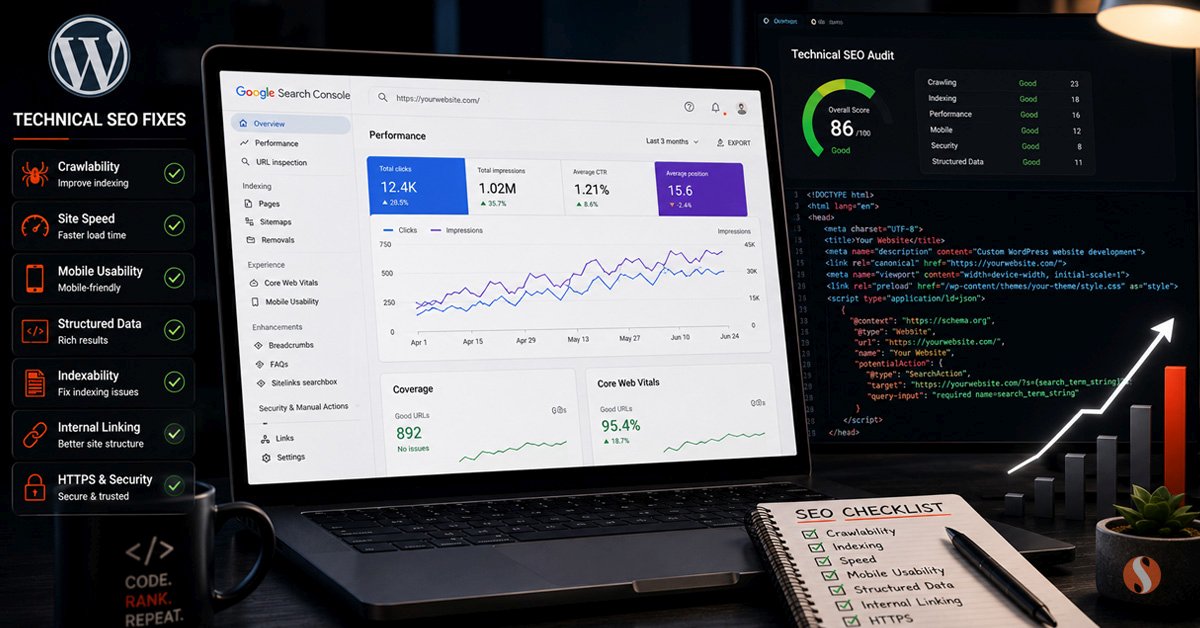
WordPress technical SEO gets conflated with content strategy more often than it should. The two are different disciplines. Content strategy determines what you publish and who you are targeting. Technical SEO determines whether Google can find, crawl, understand, and rank what you have already published. You can write excellent content and still rank poorly if the technical foundation underneath it is broken.
The frustrating part is that technical SEO issues are often invisible until you go looking for them. A misconfigured robots.txt file, a canonical tag pointing to the wrong URL, a page with a noindex setting left over from development, or a Core Web Vitals score that dropped after a plugin update. None of these produce an obvious error message. They just quietly suppress rankings that should be higher. After auditing WordPress sites for businesses across multiple industries worldwide, the same issues appear repeatedly. This post covers the ones that actually matter and how to fix them.
The Difference Between Technical SEO and Content SEO
Before going into specific fixes, it is worth being clear about what technical SEO actually covers. This matters because the two are often confused and the confusion leads to misdiagnosed problems.
| Area | Technical SEO | Content SEO |
|---|---|---|
| Primary focus | Whether Google can crawl, index, and understand the site | Whether the content matches what people are searching for |
| Key activities | Core Web Vitals, schema, canonicals, crawlability, page speed, meta tags, redirects | Keyword research, content writing, internal linking strategy, topic clusters |
| Who fixes it | Developer or technically competent WordPress specialist | Content strategist or SEO writer |
| Impact timeline | Days to weeks once fixed, Google re-crawls quickly | Weeks to months as content builds authority |
| Common WordPress tools | Rank Math, Google Search Console, PageSpeed Insights, Screaming Frog | Rank Math, Ahrefs, Google Search Console, SurferSEO |
| When it breaks | After plugin updates, theme changes, migrations, or server moves | When competitors publish better content or search intent shifts |
Technical SEO is foundational. It does not replace content quality but it determines whether your content gets a fair chance to rank. A site with excellent content and poor technical SEO will underperform. A site with mediocre content and perfect technical SEO will also underperform. Both need to be right.
Core Web Vitals: What Actually Matters in WordPress
Core Web Vitals became a ranking factor in 2021 and have remained relevant since. The three metrics Google measures are Largest Contentful Paint (how fast the main content loads), Cumulative Layout Shift (how much the page jumps around during loading), and Interaction to Next Paint (how quickly the page responds to user input).
In WordPress specifically, each of these has predictable causes that appear across many sites.
Largest Contentful Paint problems
LCP measures the time from page load to when the largest visible element finishes loading. In WordPress this is almost always either a hero image or a large above-the-fold image. The most common causes of poor LCP scores are unoptimised hero images, images not set to preload, images being lazy-loaded when they should not be, and slow server response times. On many WordPress sites we audit, a single unoptimised hero image is responsible for an LCP score of 4 to 6 seconds when it should be under 2.5 seconds. The fix is usually straightforward: compress and convert the hero image to WebP format, add a preload hint for it in the head, and disable lazy loading specifically on above-the-fold images.
Cumulative Layout Shift problems
CLS measures unexpected layout movement during page load. In WordPress the most common causes are images without explicit width and height attributes, web fonts loading and causing text reflow, and embeds or ads that push content down when they load. Fixing CLS in WordPress usually involves auditing every image on key pages to confirm width and height are set in the HTML, enabling font-display:swap on custom fonts, and ensuring any third-party embeds have explicit dimensions.
Interaction to Next Paint problems
INP replaced First Input Delay as a Core Web Vitals metric in 2024. It measures the time from a user interaction to when the page visually responds. In WordPress the primary culprit is JavaScript execution blocking the main thread. Every plugin that loads JavaScript on the frontend contributes to this. Page builders that load large JavaScript bundles, slider plugins, chat widgets, and analytics scripts all compete for main thread time. The fix requires auditing which scripts are loading on each page and deferring or removing what is not necessary.
The Technical SEO Architecture of a WordPress Site
Understanding how the pieces connect makes diagnosing and fixing issues significantly easier. Most WordPress sites have the same fundamental structure from a technical SEO perspective.
The Eight Technical SEO Fixes With the Most Impact
Canonical tags pointing to wrong URLs
A canonical tag tells Google which version of a page is the authoritative one. When canonicals are misconfigured, Google may choose to index a different version of your page or split ranking signals across multiple URLs. This happens frequently after migrations, when pagination is not handled correctly, or when plugins generate parameter-based URLs without canonical management.
Pages accidentally set to noindex
Development sites are often set to discourage search engine indexing so they do not appear in results before launch. After launch, that setting sometimes remains on individual pages or occasionally site-wide. We have seen service pages and blog posts set to noindex because a developer forgot to change the setting. These pages get zero impressions regardless of content quality.
Schema markup errors and missing types
Schema markup helps Google understand what a page is about beyond the text content. Service pages benefit from Service schema. Blog posts benefit from BlogPosting or Article schema. Local businesses benefit from LocalBusiness schema. Missing schema does not prevent ranking but correct schema gives Google more signals to work with and can improve how listings display in results. Errors in schema, however, can suppress rich results entirely.
Slow server response time
Time to First Byte (TTFB) is the time from a request to when the first byte of the response arrives from the server. Google uses TTFB as a signal and a slow TTFB affects both LCP scores and overall page experience. In WordPress, slow TTFB is usually caused by unoptimised database queries, no page caching, or a hosting environment that is undersized for the site's traffic. A well-configured caching plugin reduces TTFB dramatically on cacheable pages.
Missing or broken XML sitemap
An XML sitemap tells Google which pages exist on the site and when they were last updated. Without a sitemap, Google discovers pages through crawling internal links, which is slower and may miss pages with few incoming links. Rank Math generates a sitemap automatically but it needs to be submitted to Google Search Console and verified that it is not blocked by robots.txt or returning errors.
Redirect chains and broken redirects
Every redirect loses a small amount of link equity. A chain of three redirects (A to B to C) loses more than a single redirect (A to C). Broken redirects return 404 errors which lose all equity. After a site migration or URL restructure, redirect chains accumulate over time as old redirects point to URLs that have themselves been redirected. Auditing and cleaning up redirect chains is straightforward with Screaming Frog or a redirects plugin.
Open Graph and Twitter Card tags
OG tags do not directly affect search rankings but they affect how pages appear when shared on social media and in messaging apps. A page with no OG image or a broken OG title looks unprofessional when shared and gets fewer clicks. Since social shares can drive traffic and indirectly generate backlinks, OG tags are worth getting right. Rank Math handles these if configured correctly, but they need to be checked on key pages.
Duplicate and missing meta descriptions
Meta descriptions do not directly affect rankings but they affect click-through rate, which does affect rankings over time. A page with no meta description gets an auto-generated snippet from Google that may not be compelling. A page with a meta description that duplicates another page signals thin content. Every key page needs a unique meta description under 160 characters with the focus keyword in the first sentence.
When Technical SEO Is Not the Problem
Not every ranking problem is a technical SEO problem. It is worth being honest about this because chasing technical fixes when the real issue is content or competition wastes time and creates the wrong expectations.
If your pages are correctly indexed, have clean canonical tags, pass Core Web Vitals, have proper schema, and still rank on page 4 or 5, the issue is almost certainly one of three things. The content is not matching search intent well enough. The site does not have enough authority through backlinks compared to competing sites. Or the keywords being targeted are simply too competitive for a site at the current domain authority level.
Technical SEO creates the foundation. It removes the obstacles that prevent good content from ranking. But it does not substitute for content quality, topical authority, or backlink strength. A site with perfect technical SEO and thin content will still rank poorly. A site with strong content, genuine authority, and solid technical SEO will rank well. The technical layer needs to be right so the content layer has a fair chance to perform.
A Practical WordPress Technical SEO Audit Checklist
This is the sequence we work through when auditing a WordPress site for technical SEO issues. Working through it in order catches the high-impact problems first.
How Technical SEO Fits Into Ongoing WordPress Maintenance
The most effective approach to WordPress technical SEO is not a one-time audit but a recurring check built into an ongoing maintenance routine. Technical issues in WordPress do not only appear at launch. They appear after plugin updates that change how JavaScript loads. After theme updates that alter page templates. After content migrations that create new URL structures. After server moves that change caching behaviour.
A site that passes a full technical SEO audit today may have new issues in three months if nothing is monitoring for them. The WordPress maintenance checklist we publish covers which technical checks should happen monthly and which can be done quarterly. The pattern we follow for maintenance clients in India and across businesses worldwide is to run a lightweight technical check after every significant update and a full audit quarterly. This catches issues while they are small rather than after they have been suppressing rankings for months.
The technical SEO checks described in this post are included as part of our WordPress maintenance plans. For sites that need a one-time technical SEO audit and cleanup rather than ongoing maintenance, our WordPress development service covers that as a standalone project. The starting point is always a proper audit that identifies what is actually broken rather than applying generic fixes that may not address the real issue on your specific site.
Common Questions About WordPress Technical SEO
What is WordPress technical SEO and how is it different from regular SEO?
WordPress technical SEO covers the structural and infrastructure elements that affect whether Google can crawl, index, and rank your site. This includes Core Web Vitals scores, canonical tags, robots.txt configuration, XML sitemaps, schema markup, page speed, redirect management, and meta tag completeness. Regular SEO, often called content or on-page SEO, covers keyword targeting, content quality, and link building. Technical SEO is the foundation that determines whether your content gets a fair opportunity to rank. Without it being correct, even excellent content underperforms. With it in order, content SEO becomes significantly more effective.
How often should I audit my WordPress site for technical SEO issues?
A lightweight check should happen after every significant WordPress update, plugin update, or site change, because updates frequently introduce new technical issues. A full technical SEO audit should happen at least once a quarter for active sites. The most common mistake is treating technical SEO as a one-time task completed at launch. WordPress sites change continuously and technical issues accumulate over time. Canonical tags get misconfigured after content migrations. Noindex settings get left on pages after development changes. Core Web Vitals scores drop after new plugins are installed. Building technical checks into a regular maintenance routine catches these issues while they are small.
Do Core Web Vitals scores really affect WordPress rankings?
Yes, but the relationship is nuanced. Core Web Vitals are a confirmed ranking factor but they function as a tiebreaker rather than a primary signal. Between two pages of similar quality and authority, the one with better Core Web Vitals scores will rank higher. Between a high-authority page with poor Core Web Vitals and a low-authority page with perfect scores, the high-authority page will typically still rank higher. The practical implication for WordPress sites is that improving Core Web Vitals will not rescue a site with fundamentally weak content or no backlinks, but it will improve rankings for pages that are already competitive. For most WordPress sites, LCP is the metric with the most room for improvement and the most straightforward fixes available.