
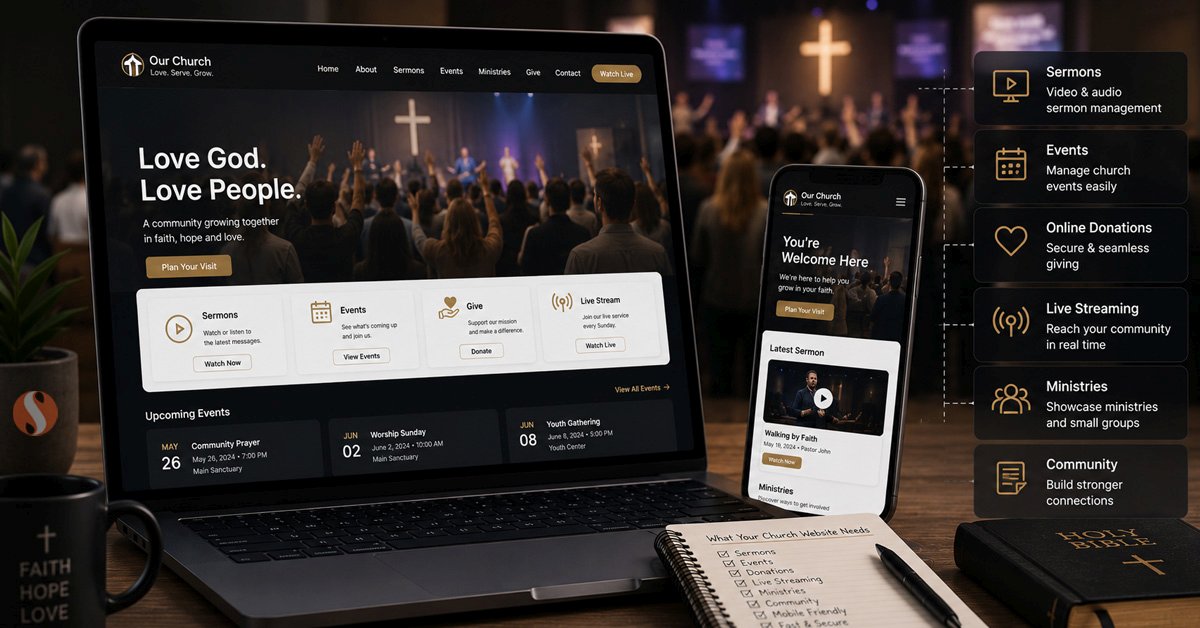
A WordPress website for churches and ministries is not a standard business website with a different colour scheme. The functional requirements are genuinely different from most other WordPress projects. A congregation needs their website to handle sermon content in a way that is searchable and easy to navigate by series, speaker, topic, and date. They need event management that handles recurring services and special events differently. They need online giving that integrates with their financial systems. Many need live streaming that works reliably every Sunday without technical failures in front of their congregation.
The challenge is that most web developers approach a church website the same way they approach any other website. They install a theme, add some pages, and hand it over. What gets missed is the operational layer underneath. The sermon archive that nobody can search. The events calendar that does not handle recurring weekly services properly. The donation form that does not connect to the right payment processor or send the right confirmation emails. Having built ministry and broadcast platforms for churches across multiple industries worldwide, the pattern of what works and what gets built wrong is very clear.
What Makes a Church Website Different
Before covering specific features, it is worth understanding why church websites have different requirements from other WordPress projects. Three things make them distinctly different.
First, the content volume. An active church publishes content every single week. One or more sermons, event announcements, ministry updates, and blog posts. Over five years that accumulates into thousands of pieces of content. A website that is not built to handle this volume from the start becomes slow and hard to navigate as it grows.
Second, the audience breadth. A church website serves everyone from a first-time visitor looking for service times to a long-time member accessing archived sermons from two years ago. It needs to work clearly for people who are not technically comfortable and still function well for people accessing specific content they already know exists.
Third, the operational dependency. Unlike a business website that can be down for a day without significant consequence, a church website that fails on Sunday morning when members are trying to access the live stream or find the service location creates real problems. Reliability matters more than it does for most business websites.
The Core Features Every Church Website Needs
WordPress vs Dedicated Church Platforms: An Honest Comparison
Several dedicated church website platforms exist: Squarespace for Churches, Wix, Church-specific SaaS platforms like Subsplash or Ministry Brands. It is worth being direct about when WordPress is and is not the right choice.
| Requirement | WordPress | Dedicated church platforms | Generic website builders |
|---|---|---|---|
| Sermon archive with filtering | Excellent with custom post types | Built in | Very limited |
| Custom design and branding | Full control | Template-constrained | Template-constrained |
| Online giving integration | Flexible, any processor | Built in but fixed processor | Basic only |
| Long-term cost | Hosting only after build | Monthly subscription forever | Monthly subscription |
| Content ownership | Full ownership | Platform-dependent | Platform-dependent |
| AI integration potential | Full flexibility | Not available | Not available |
| Technical maintenance required | Yes, ongoing updates needed | Managed by platform | Managed by platform |
Dedicated church platforms make sense for smaller congregations that need something working quickly without a development budget and are comfortable paying a monthly subscription indefinitely. WordPress makes more sense for churches that want full control over their content and design, plan to grow their digital presence significantly, want to avoid ongoing platform subscription costs, or have specific integration requirements that dedicated platforms cannot meet.
What a Radio Broadcast Ministry Needed
One of the more complex church-adjacent projects we built was a platform for a radio broadcast ministry. The requirements went well beyond a standard church website because the ministry broadcast content across multiple radio channels and needed the website to serve as both a public-facing ministry presence and an internal content management system for broadcast scheduling.
The platform needed a sermon and teaching archive with audio streaming, episode metadata management, broadcast schedule management across multiple stations, a supporter donation system with recurring giving, an email newsletter integration for weekly programme updates, and a mobile-friendly interface for listeners accessing content on phones and tablets. Standard WordPress themes and plugins handled parts of this but the broadcast scheduling and multi-station management required custom development built on top of WordPress's custom post type architecture. The result was a system the ministry team could manage themselves without developer involvement for day-to-day content publishing while still having the custom functionality the broadcast operation required.
The Church Website Architecture That Works
The Things That Get Built Wrong Most Often
How to Approach a Church Website Build
When Not to Use WordPress for a Church Website
WordPress is the right choice for most church websites that need real functionality and control. But there are situations where it is not the best answer and it is worth being honest about them.
If the church has a very small congregation, a minimal budget, and needs something live within a week, a dedicated platform like Squarespace or a church-specific SaaS will serve them better than a custom WordPress build. The up-front simplicity outweighs the long-term limitations at that scale.
If there is genuinely no one available to manage the site after launch, not a staff member, not a tech-savvy volunteer, and no budget for ongoing support, a managed platform removes the maintenance burden that WordPress requires. A WordPress site that goes unmaintained for a year is a security liability. That is worse than the limitations of a simpler platform.
If the primary need is a mobile app rather than a website, dedicated church app platforms handle that more effectively than a WordPress mobile theme. That said, a WordPress site and a mobile app are not mutually exclusive. The WordPress REST API can power both, which is a pattern worth considering for larger ministries that need strong digital presence across multiple platforms. Our custom WordPress development service and AI integration service cover both the website and the API layer for ministries thinking about this kind of multi-platform approach. The church and nonprofit industry page covers every system we build for faith-based organizations in one place.
Common Questions About Church Websites
Is WordPress good for church websites?
Yes, WordPress is an excellent platform for church websites when built correctly. Its custom post type architecture handles sermon archives, event management, and ministry pages well. Its plugin ecosystem covers online giving, live streaming integration, and contact forms. Its content editor is manageable for non-technical staff. The key is building with the specific requirements of a church in mind rather than treating it like a standard business website. A sermon archive built as a custom post type with proper filtering will serve a congregation far better than blog posts used as a workaround. A recurring event calendar configured correctly removes weekly manual work. When these decisions are made well at the start, WordPress handles church website requirements better than most alternatives at similar cost.
How much does a WordPress church website cost?
The cost of a WordPress church website depends primarily on the functionality required. A straightforward site with pages, a basic events calendar, and a donation form is significantly less complex than a full platform with a searchable sermon archive, live streaming integration, multi-ministry management, recurring giving, and custom user roles for different teams. The most honest answer is that cost follows complexity. A church should budget based on which features they genuinely need on day one versus which they could add later. Starting with the core requirements and building in phases is often a smarter approach than trying to build everything at once, particularly for smaller congregations.
What is the best way to handle online giving on a WordPress church website?
The best approach for online giving on a WordPress church website is a dedicated giving integration rather than a repurposed WooCommerce checkout or a simple contact form. The giving system needs to handle fund designation so donors can specify where their gift goes, recurring payments so donors can set up automatic monthly giving, automated tax receipt emails that meet documentation requirements, and donor management so the church can see giving history and generate year-end statements. Stripe and PayPal both work well as payment processors. The integration layer between WordPress and the payment processor is where most of the custom work sits. Getting this right at the start saves significant re-work later when the church discovers that their giving system cannot produce the reports their accountant needs.