
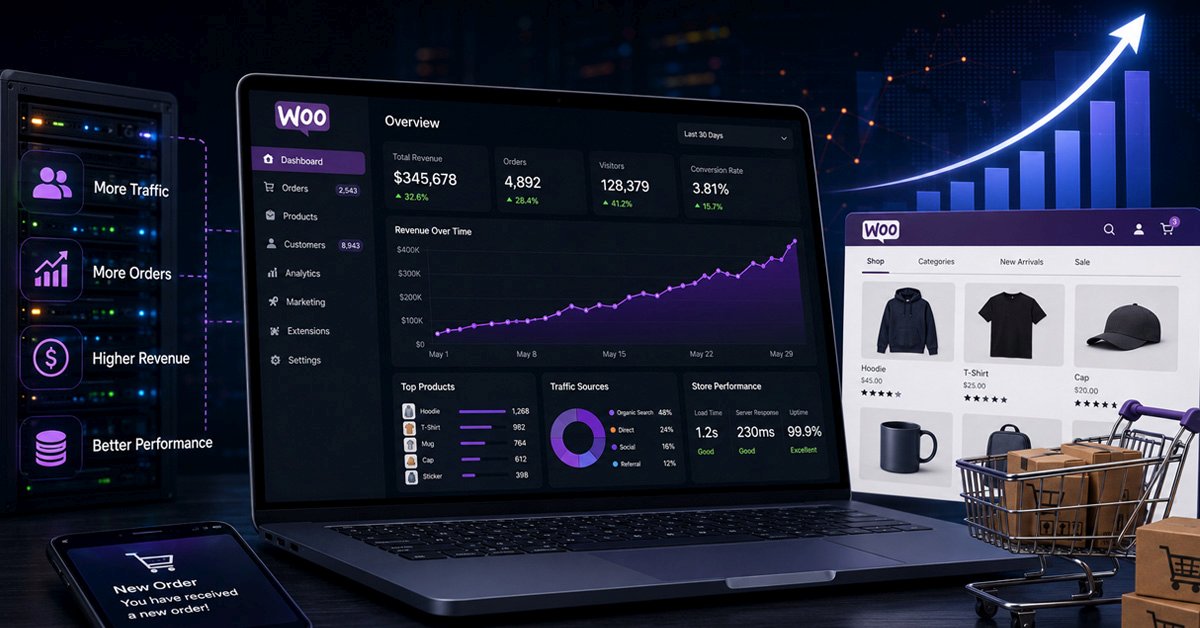
WooCommerce is genuinely capable of handling large, high-volume stores. There are stores doing tens of thousands of orders a month running on WooCommerce without significant problems. But that capability does not come automatically. It comes from deliberate technical decisions made at the right time, and from understanding what actually breaks as a store grows and why.
Most WooCommerce scaling problems follow the same pattern. The store works well at launch. Performance stays acceptable for a year or two. Then somewhere between growing product catalogues, increasing order volumes, and accumulated plugin weight, things start to slow down in ways that are hard to pin to a single cause. Checkout slows. Product pages take longer to load. Admin becomes sluggish. The store that worked fine at 500 orders a month struggles at 5,000.
This post covers what is actually happening at each stage of that growth, why the specific problems appear when they do, and what needs to change structurally to keep performance where it needs to be.
How Scale Changes What WooCommerce Is Doing
To understand why WooCommerce performance degrades at scale, it helps to understand what WooCommerce is doing under the hood at any given page load. On a product page, WooCommerce is querying the database for product data, variation data, pricing, stock levels, related products, reviews, and any custom fields attached to the product. On a shop page it is doing all of that for multiple products simultaneously plus pagination logic. On checkout it is doing cart calculations, shipping calculations, tax lookups, coupon validation, and payment gateway communication in sequence.
At small volumes, these operations complete quickly because the underlying data is small and the database queries are fast. As the store grows, the data volume increases, the queries get slower, and the compounding effect of multiple slow queries on a single page load becomes the primary driver of poor performance. It is not that WooCommerce becomes less efficient. It is that the workload it is handling has changed substantially while the infrastructure underneath it has stayed the same.
The Three Stages Where Stores Run Into Trouble
Database bloat
Unindexed queries
Checkout timeouts
Transient buildup
Session overload
Stock sync failures
Queue overload
Table lock contention
The Specific Problems and What Is Causing Them
WooCommerce stores product data, order data, customer data, and almost everything else in the WordPress database using a structure built around posts and post metadata. The wp_posts table holds products and orders as post types. The wp_postmeta table holds all the associated data for each one as key-value pairs.
This structure works well at small volumes because the tables are small and queries complete quickly. At scale, wp_postmeta becomes very large because every product variation, every order line item, and every piece of custom data adds rows to it. Queries that join across wp_posts and wp_postmeta to fetch product data or order data become progressively slower as the table grows. No amount of caching at the application layer fully compensates for slow queries against an unoptimised database.
WooCommerce introduced High-Performance Order Storage (HPOS) specifically to address the order data problem. HPOS moves order data from wp_posts and wp_postmeta into dedicated order tables with proper indexing. For stores doing significant order volumes, enabling HPOS is one of the most impactful database changes available. Our MySQL database optimisation work consistently shows that query time on order lookups drops significantly after HPOS migration on stores that were previously using the legacy post-based structure.
Variable products with many attributes and combinations are one of the most query-intensive parts of a WooCommerce store. When a customer loads a variable product page, WooCommerce needs to fetch data for every variation to build the attribute selectors and stock status indicators. A product with 50 variations triggers a significant number of database queries just to render the page.
Stores that have grown their product catalogue without thinking carefully about variation structure often end up with products that have hundreds of variations, some of which are inactive or out of stock but still being queried on every page load. This is a common cause of slow product pages that does not get diagnosed correctly because the page itself looks simple.
Most of a WooCommerce store can be cached aggressively. Product pages, shop pages, and category pages serve the same content to all visitors and benefit enormously from full-page caching. Checkout is the exception. Because checkout is personalised, session-dependent, and involves live calculations, it cannot be served from cache. Every checkout page load hits the server and the database.
Under heavy traffic, this creates a situation where the cacheable parts of the store perform well because they are being served from cache, but checkout performance degrades because it is handling real server load. The problem is compounded by shipping calculation plugins, tax plugins, and payment gateway scripts all running sequentially during checkout. A checkout that takes four seconds on a moderately loaded server can take ten seconds under peak traffic if each of those external calls adds latency.
A WooCommerce store that has been running and growing for two or three years typically has significantly more plugins installed than it started with. Each plugin that was added solved a specific problem at the time. Collectively, they add JavaScript to every page load, run database queries on every request, and hook into WooCommerce actions in ways that compound each other's overhead.
The performance cost of individual plugins is often small enough that no single addition noticeably impacts the store. But the accumulation of ten plugins each adding 50ms of overhead produces 500ms of additional load time that has no single obvious cause. This is one of the hardest scaling problems to diagnose because there is no single culprit and each plugin seems reasonable in isolation. Our approach to custom WooCommerce development always includes a plugin audit to identify and eliminate this kind of accumulated overhead.
Stock management at high order volumes introduces a concurrency problem that does not exist at smaller scales. When two customers purchase the last unit of a product at almost exactly the same time, WooCommerce needs to handle the race condition correctly to avoid overselling. The default WooCommerce stock management uses database row locking to handle this, but under high concurrency the locking creates a queue of waiting requests that slows order processing across the board.
Flash sales and limited-availability product launches are particularly vulnerable to this. A product that normally handles orders without issue can cause checkout failures and slow responses when a large number of customers are attempting to purchase simultaneously, because the database locking required for accurate stock management becomes the bottleneck for every concurrent transaction.
The Infrastructure Changes That Actually Matter
Beyond the WooCommerce-specific fixes above, scaling a store past a certain volume requires infrastructure decisions that cannot be solved at the application layer.
| Infrastructure layer | What changes at scale | Action needed |
|---|---|---|
| Shared hosting | CPU and memory limits become binding constraints under traffic spikes. Other tenants on the same server affect your performance | Move to VPS or managed hosting |
| Object caching | Without Redis or Memcached, WordPress rebuilds cached objects from the database on every request even within a single page load | Implement Redis object cache |
| Database server | A shared database server on the same machine as the web server becomes a bottleneck as query load increases | Separate DB server at high volume |
| CDN | Static assets served from origin increase server load unnecessarily. Images are typically the largest component of page weight | CDN for all static assets |
| Full page caching | Without full page caching, every visitor to a product page hits PHP and the database. Cacheable pages should never reach the server | Server-level page caching |
| Search | WooCommerce's native search uses MySQL LIKE queries which become very slow on large product catalogues | ElasticSearch or Typesense |
When WooCommerce Is the Right Platform at Scale and When It Is Not
WooCommerce can handle significant scale with the right infrastructure and development investment. The stores that do this successfully have made deliberate decisions about hosting, database structure, caching strategy, and plugin footprint. They treat the technical stack as something that needs ongoing attention rather than something configured once at launch.
The stores that run into trouble at scale are usually the ones that grew on infrastructure and a codebase that made sense at launch but were never revisited as the business grew. The fix is rarely dramatic. It is usually a combination of database optimisation, object caching, hosting upgrade, and plugin consolidation that collectively recover significant performance.
If you are at a point where the store is growing and performance is becoming a concern, the most useful first step is a proper audit rather than a speculative infrastructure upgrade. Understanding specifically where the time is being spent per request tells you exactly which fixes will have the most impact. That is a much better basis for decisions than guessing which layer of the stack to upgrade. Sentinel Infotech's WooCommerce development service includes exactly this kind of performance audit and structural review for stores that are hitting their scaling limits.