
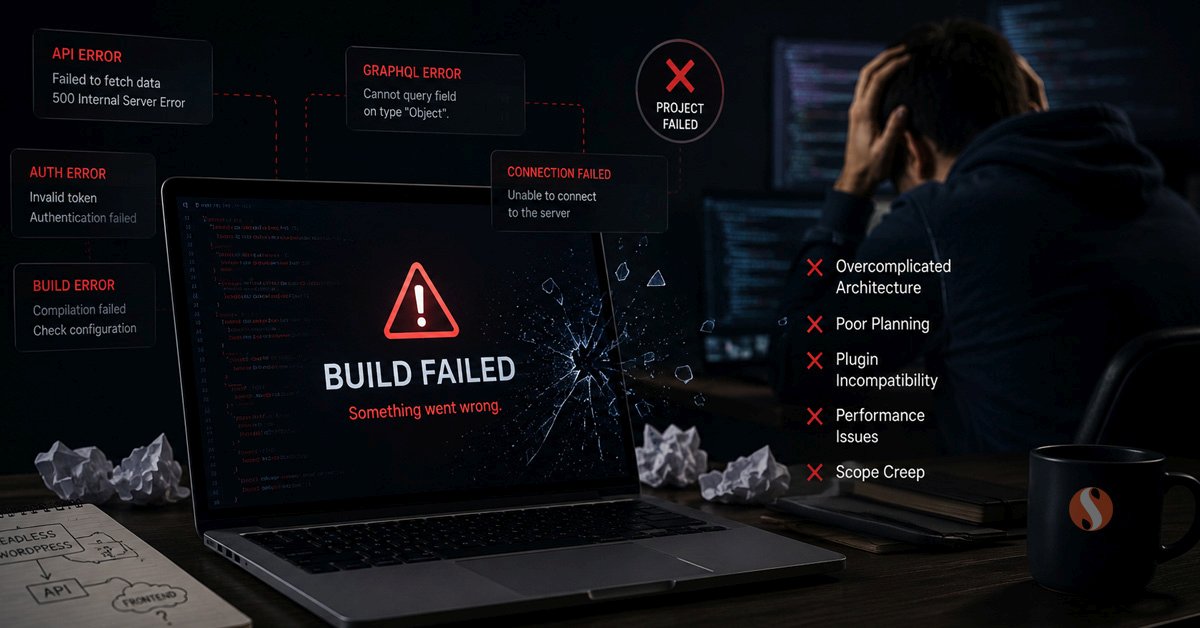
Headless WordPress attracts teams for good reasons. The performance potential is real, the frontend flexibility is genuine, and the architectural separation makes sense on paper. But a meaningful number of headless WordPress projects either stall during development, ship in a degraded state, or quietly get rebuilt on a traditional stack within a year or two of going live.
The failure patterns are not random. They are predictable, they repeat across different teams and organisations, and most of them are visible before the project starts if you know what to look for. This post covers the specific reasons these projects fail and what the warning signs look like in practice.
The Eight Most Common Failure Patterns
These are not edge cases or unusual mistakes. They are the situations that come up repeatedly in headless projects across different industries and team sizes.
When the architecture is chosen for the wrong reasons, the project carries a fundamental mismatch from the start. The performance benefits are not actually needed at the current traffic level. The content team did not need decoupled publishing. The budget does not reflect the genuine complexity of maintaining two applications. The team builds the thing they wanted to build rather than the thing the business needed.
In a headless setup, the WordPress editor becomes a data entry interface rather than a content management tool. The visual preview that editors rely on to see how their content will look on the live site stops working or requires significant additional engineering to restore. Page builder functionality that editors depend on, things like Divi or Elementor layouts, either stop functioning entirely or produce outputs that the frontend has to specially parse. Editors who were promised a familiar WordPress experience discover a degraded one.
This creates organisational friction that either drives scope expansion to fix the editor experience or breeds long-term resentment of the system. Neither outcome helps the project.
Each plugin that the site depends on becomes either a rebuild task or a replacement decision. Contact Form 7 does not work. Gravity Forms requires custom API integration. WooCommerce on a headless frontend requires rebuilding cart management, checkout, payment processing, order status, and every customer-facing interaction from scratch in React. Teams that scope the headless project without auditing plugin dependencies systematically underestimate the build cost by a large margin.
The WooCommerce situation deserves particular emphasis. A headless WooCommerce build is a legitimate and powerful architecture, but it is a major engineering undertaking. Teams that go in expecting it to be similar in effort to a traditional WooCommerce build consistently struggle. The right foundation for a complex WooCommerce store is usually a well-built traditional stack with proper custom WooCommerce development rather than a headless rebuild that underestimates what it is taking on.
What gets left behind is a React application that the people responsible for maintaining it do not fully understand. Updates to the WordPress backend break the frontend in ways that are difficult to diagnose without frontend expertise. The Next.js application falls out of date because nobody on the team is confident making changes to it. The site that was supposed to be more maintainable because of its clean architecture becomes harder to maintain in practice because the knowledge required to maintain it is not present in the organisation.
Projects that treat SEO as a plugin concern rather than an architectural concern discover the gap late. The site launches without proper meta tags on key pages, schema is missing, canonical URLs are wrong, or the sitemap is not being generated correctly. Fixing these issues after launch is harder than building them in from the start, and the ranking damage from a poorly configured launch can take months to reverse.
The preview problem compounds this. Content editors need to see draft content as it will appear on the live site before publishing. Next.js preview mode supports this but it requires proper implementation. Projects that skip this discover editors publishing content they have not been able to properly review, which affects content quality over time.
Incremental static regeneration addresses this but adds configuration complexity. On-demand revalidation is powerful but needs careful implementation to avoid stale content. Teams that do not think through the content publishing lifecycle before building discover these constraints under pressure after launch, when editors are frustrated and workarounds are needed.
The infrastructure side compounds this. Two applications mean two hosting environments, two CI/CD pipelines, and two sets of environment variables to manage. Teams that are used to a single WordPress deployment underestimate the operational overhead of managing this correctly across development, staging, and production environments.
A statically generated Next.js site served from a CDN is fast. But if the site uses server-side rendering for pages that could be statically generated, or if the React bundle is large and poorly code-split, or if third-party scripts are loading aggressively, or if the API layer adds latency to dynamic requests, the performance advantages disappear. A traditional WordPress site running on good hosting with proper caching, image optimisation, and minimal plugin overhead frequently scores better on Core Web Vitals than a headless site that was not architected carefully.
The performance case for headless is real at scale and with the right implementation. It is not automatic, and it is not guaranteed just because Next.js is involved.
These are not unexpected problems in the sense that they are knowable in advance. But teams that did not do a thorough pre-build audit of dependencies, workflows, and infrastructure requirements discover them as surprises during development. The project either runs over budget to address them, ships without addressing them and accumulates technical debt, or gets descoped in ways that compromise the original vision.
What Projects That Succeed Look Like
Successful headless WordPress projects share a set of characteristics that distinguish them from the ones that struggle. The difference is not technical skill alone. It is the decisions made before a line of code is written.
- Architecture chosen before requirements are clear
- Plugin audit skipped or done after scoping
- Content editor workflow not validated before build
- SEO treated as a plugin concern not an architecture concern
- Maintenance team does not have React expertise
- Performance measured by assumption not benchmarks
- Budget based on traditional WordPress comparison
- Deployment pipeline planned after development starts
- Clear business requirement that headless specifically solves
- Full plugin audit completed before scoping
- Content editor workflow mapped and validated upfront
- SEO metadata handling specified in architecture documents
- Ongoing maintenance team has confirmed React capability
- Specific Core Web Vitals targets defined and measured
- Budget reflects genuine headless complexity, not a standard build
- Deployment pipeline designed before frontend development starts
When the Right Answer Is a Different Architecture
One outcome that headless projects sometimes reach, after months of development, is the realisation that a different approach would have been better. This is not a failure of execution. It is a failure of the initial decision, and recognising it earlier saves significant time and money.
For most business websites, a well-built traditional WordPress site with a good theme, a minimal plugin footprint, proper server configuration, and a solid caching layer will meet every performance and functionality requirement without the operational overhead of a decoupled architecture. For complex web applications that genuinely need React's component model, building specific features in React embedded within a traditional WordPress site is often a better starting point than a full headless rebuild. And for content-heavy sites where the editorial workflow matters, keeping WordPress as a complete CMS and investing in frontend performance optimisation rather than decoupling delivers better results for the team using the system every day.
The projects that avoid these failure patterns are the ones that ask the harder question before starting: what specific problem does headless solve for this project that cannot be solved another way? If the answer is clear and specific, headless is worth the complexity. If the answer is general or uncertain, the architecture deserves more scrutiny before commitment.
The Role of Pre-Build Due Diligence
The failure patterns above are almost universally preventable. They come from insufficient due diligence before the project starts rather than from technical incompetence during execution. A thorough pre-build process for any headless project should cover the following ground explicitly before any architecture decisions are finalised.
None of these steps requires extraordinary effort. Together they form a due diligence process that prevents the predictable failures. The teams that do this work before building consistently have better outcomes than the teams that discover these questions during development.
At Sentinel Infotech, when a client comes to us with a headless WordPress project, the first thing we do is work through this kind of pre-build assessment. Not because headless is wrong, but because the right architecture for each project depends on specifics that need to be understood before any development starts. Our React and Next.js development work includes projects on both traditional and headless stacks, and the decision about which approach to use is always driven by what the project actually needs rather than what the technology makes possible.